Software · Restaurant shift planning
Allocate Live
Planning a shift at GYG used to mean copying names and times into a spreadsheet. I built Allocate Live to make that easier. It’s now used in three restaurants, including the one where I work.
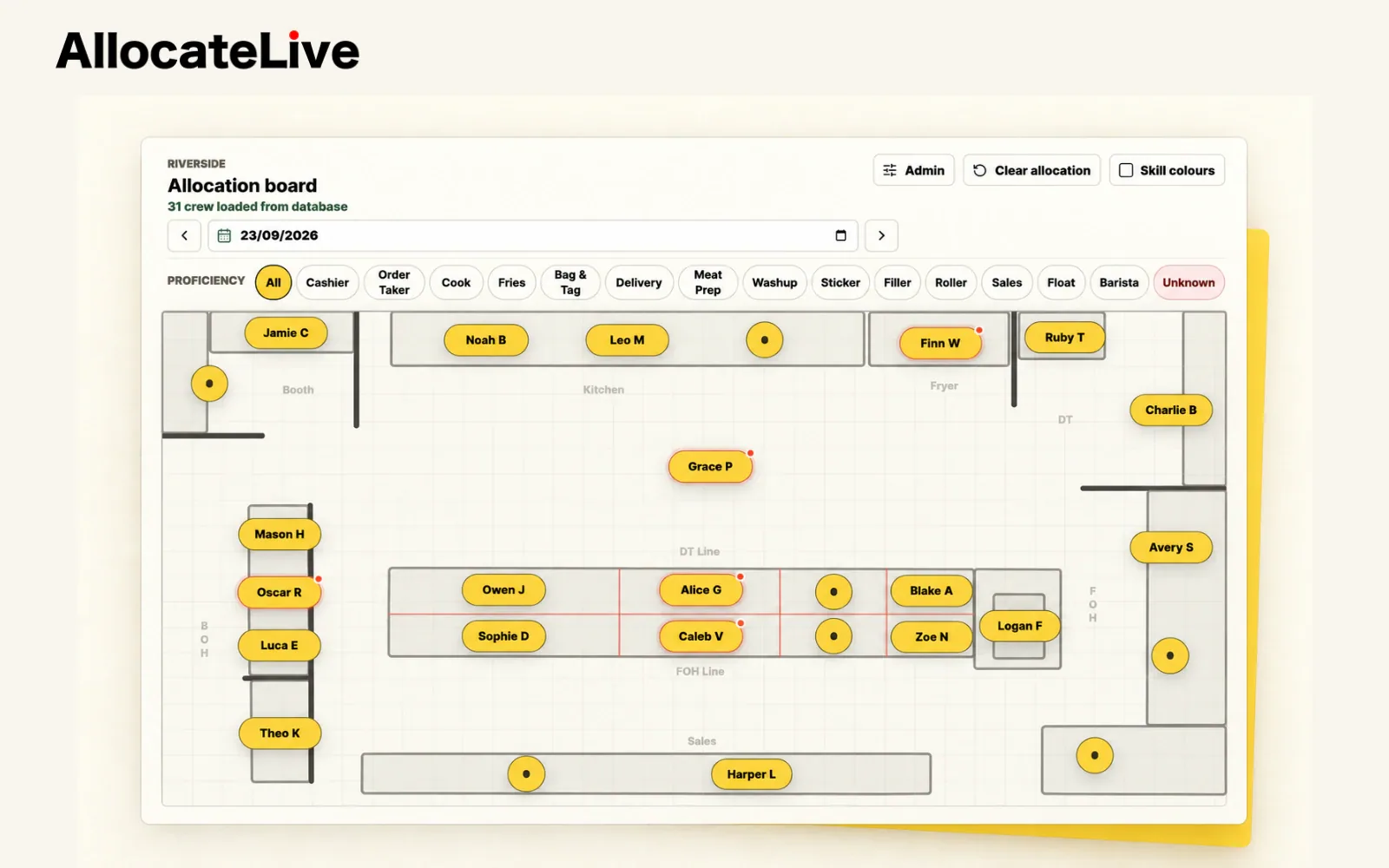
Product visuals use fictional crew and store details.
- My role
- Sole designer & developer
- Made for
- Restaurant shift leaders
- In use
- Three GYG restaurants
- What’s next
- Talking with two more stores
The starting point
Half an hour in a spreadsheet.
Before a shift, we’d open Tanda and manually type each person’s name and shift times into Excel. Then we’d move everyone around the spreadsheet to work out where they should go. The whole thing could take about half an hour.
After doing that over and over, I wanted to build something better. I made an early prototype, left it for a while, and eventually came back to turn it into Allocate Live.
Making changes
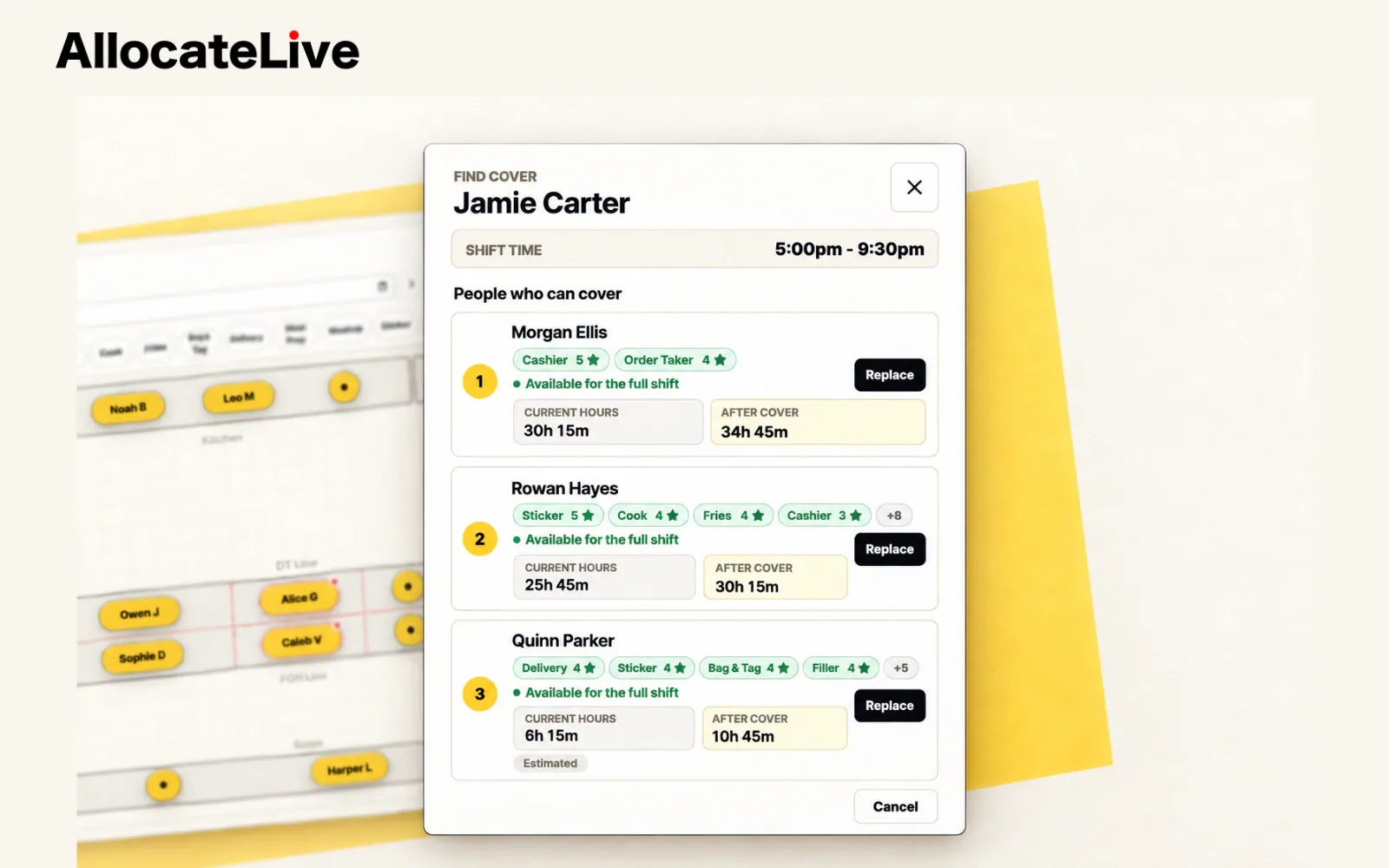
When someone calls in sick.
A sick call is a good example of why I wanted this. I can check who’s available, compare their skills and see what covering the shift would do to their hours. Then I can swap someone in and move people between stations.
It makes changes much easier to work through, and the team at my store now uses it to plan shifts.
The people
Knowing who can work where.
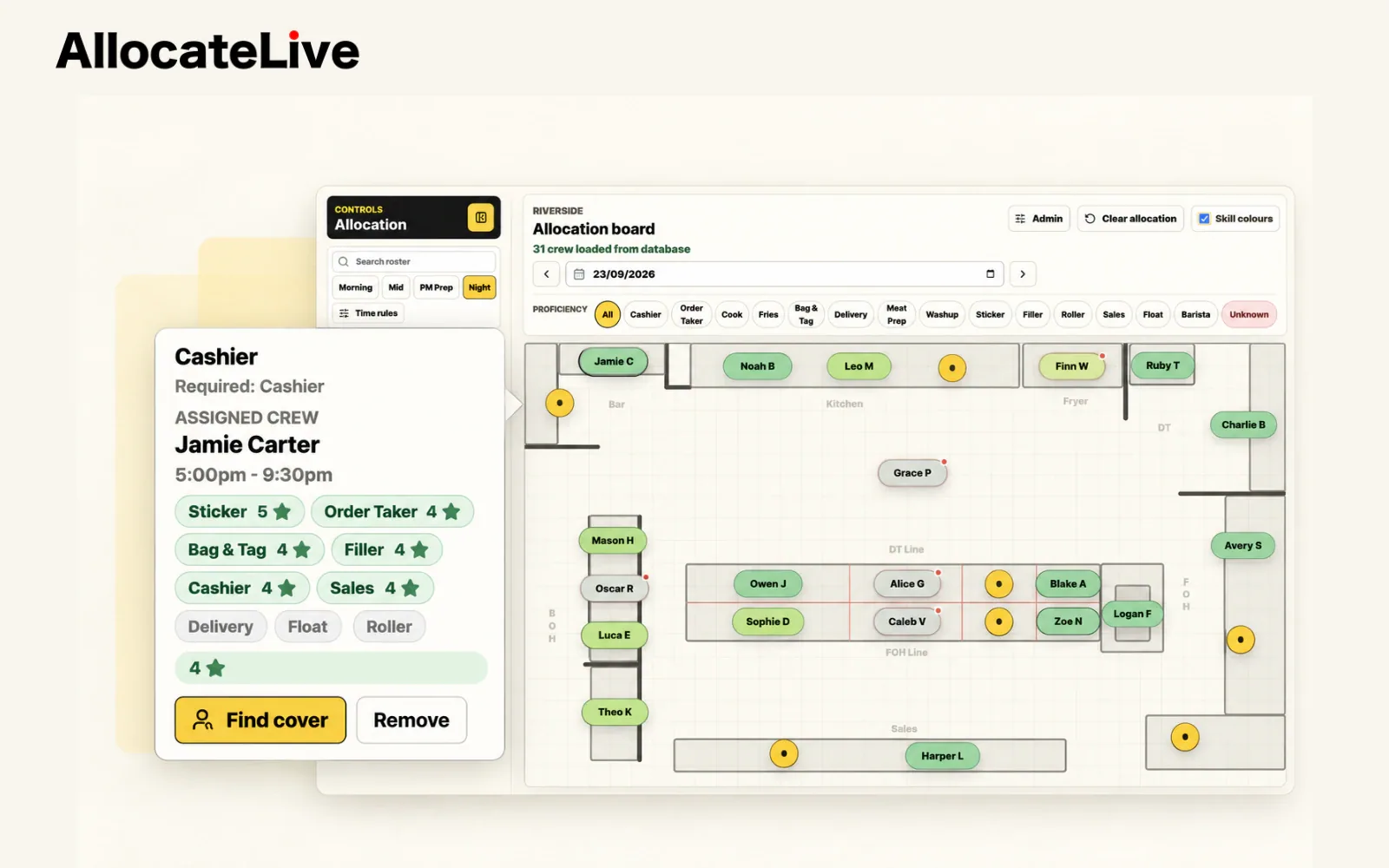
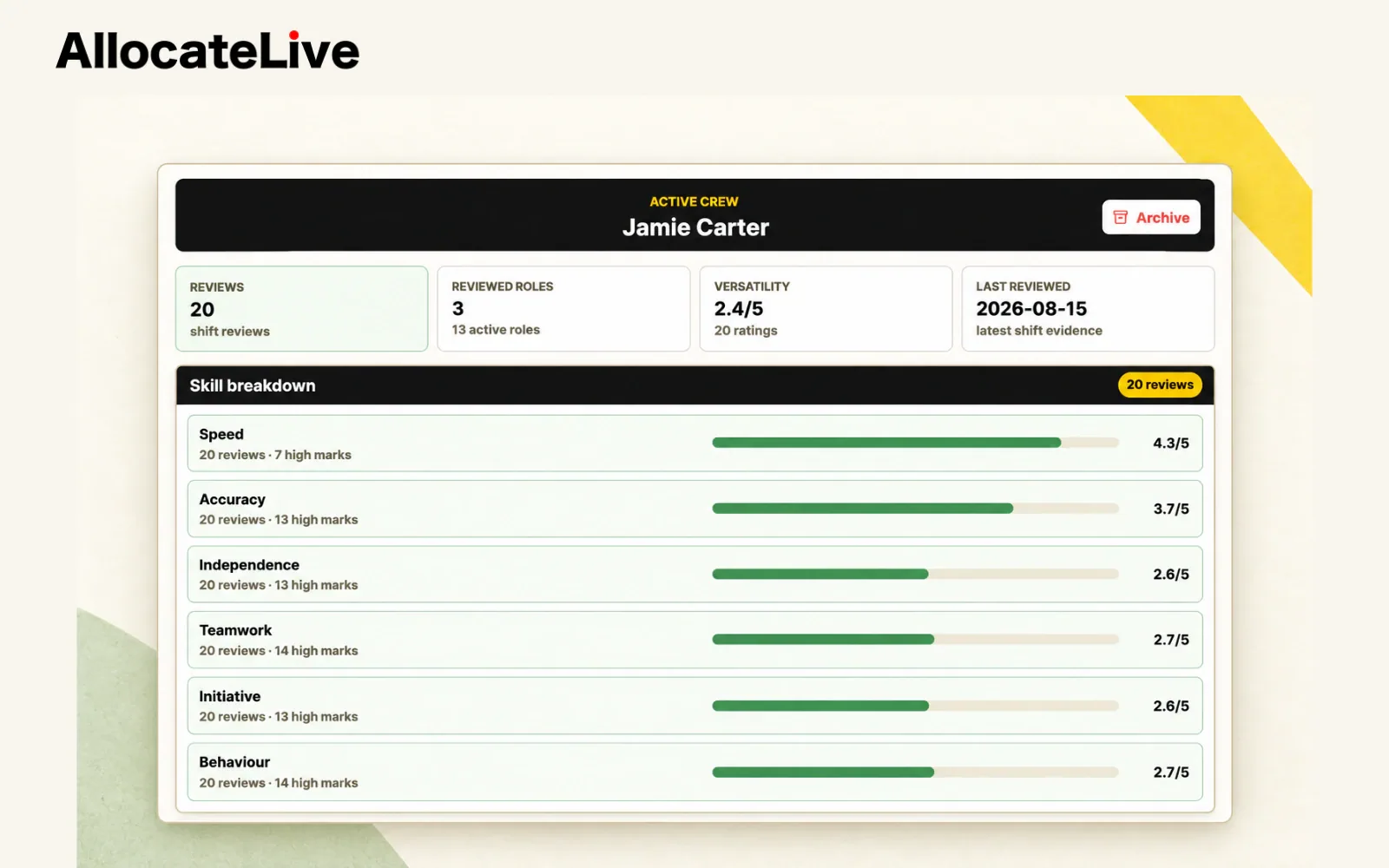
The floor plan is only useful if I know who can work each station. Skill colours help me read the allocation at a glance, and a crew member’s details show the experience behind that colour.
Crew profiles keep skills and shift reviews together. I wanted that information close to the planning, so it’s there when we’re deciding who should work where.
Ready for the shift
A plan the team can use.
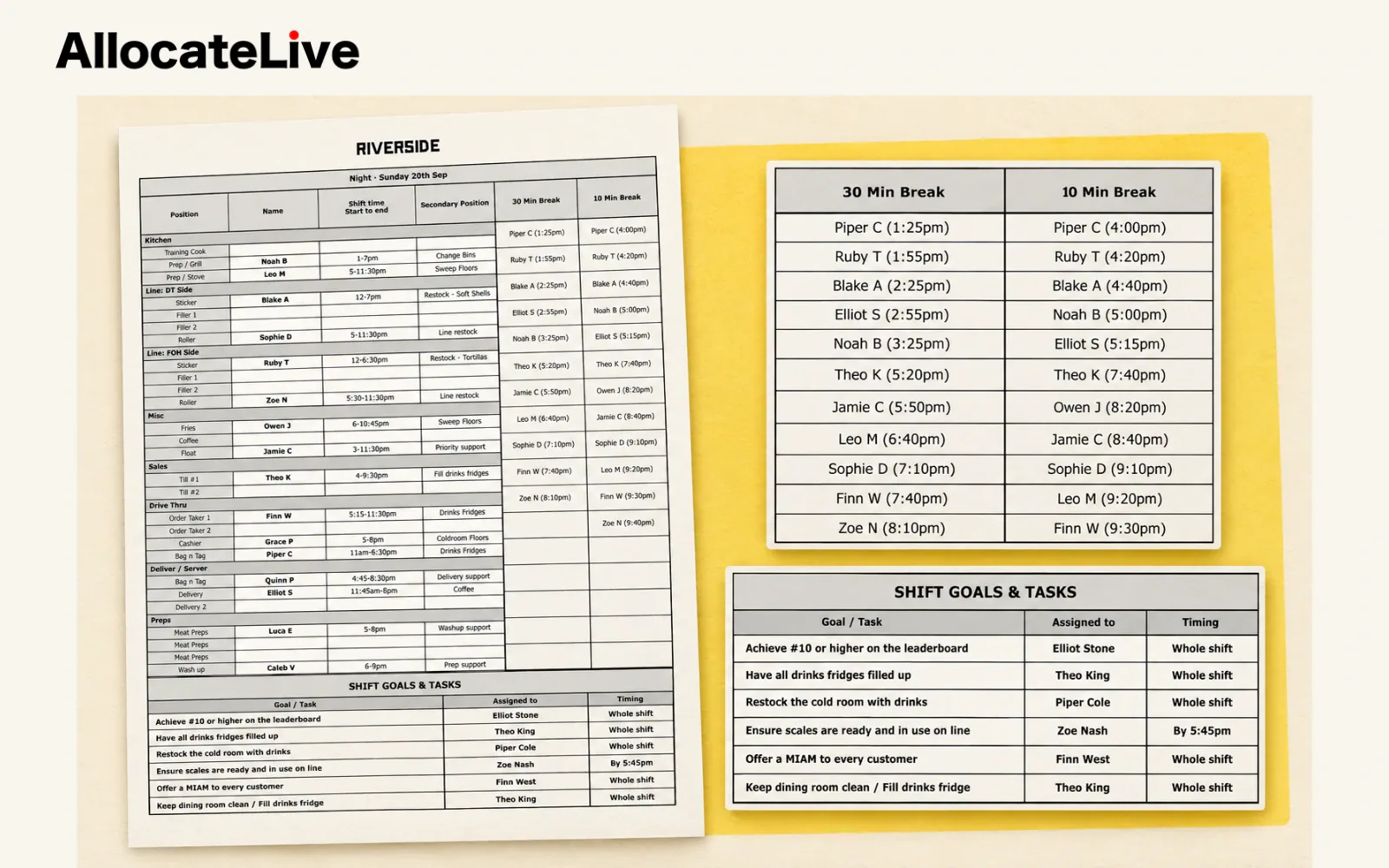
The app grew to include roster syncing, break guidance, shift goals and printable handovers. Once the allocation is ready, I can turn it into a handover for the team to use during the shift.
Where it’s going
Getting it into other restaurants.
I’ve sold Allocate Live to two other stores, bringing it to three restaurants as of September 2026. I’m also talking with two more about using it.
Getting in touch with restaurant owners has been harder than I expected. Once I can show them the app, the conversations go well, but getting that first opportunity takes work. I hadn’t done this kind of business development before, and I’ve enjoyed meeting people and showing them something I use myself.